

Views: 0 Author: Site Editor Publish Time: 2025-10-17 Origin: Site


Have you ever wondered how laser modules work? These powerful devices emit focused light beams for various applications. Understanding laser module wiring is crucial for safe and effective use. In this post, you'll learn what a laser module is and why mastering its wiring is essential. We'll guide you through the components, safety tips, and wiring techniques.
A laser module usually includes several key parts that work together to produce a focused beam of light. The main components are:
Laser Diode: This is the heart of the module. It generates the laser beam. The diode emits light in a very narrow and intense beam.
Driver Circuit: It controls the current supplied to the laser diode, ensuring stable operation and protecting the diode from damage.
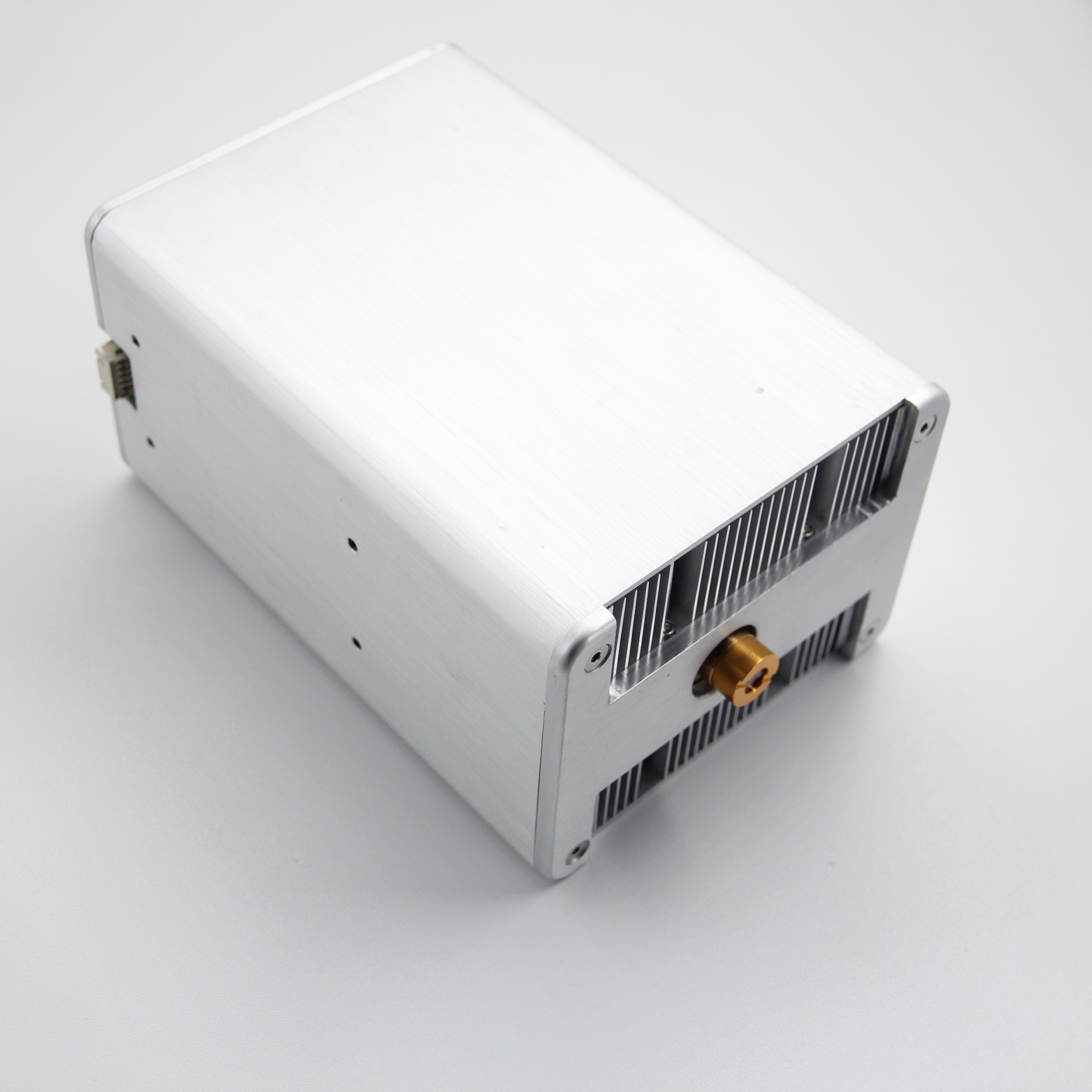
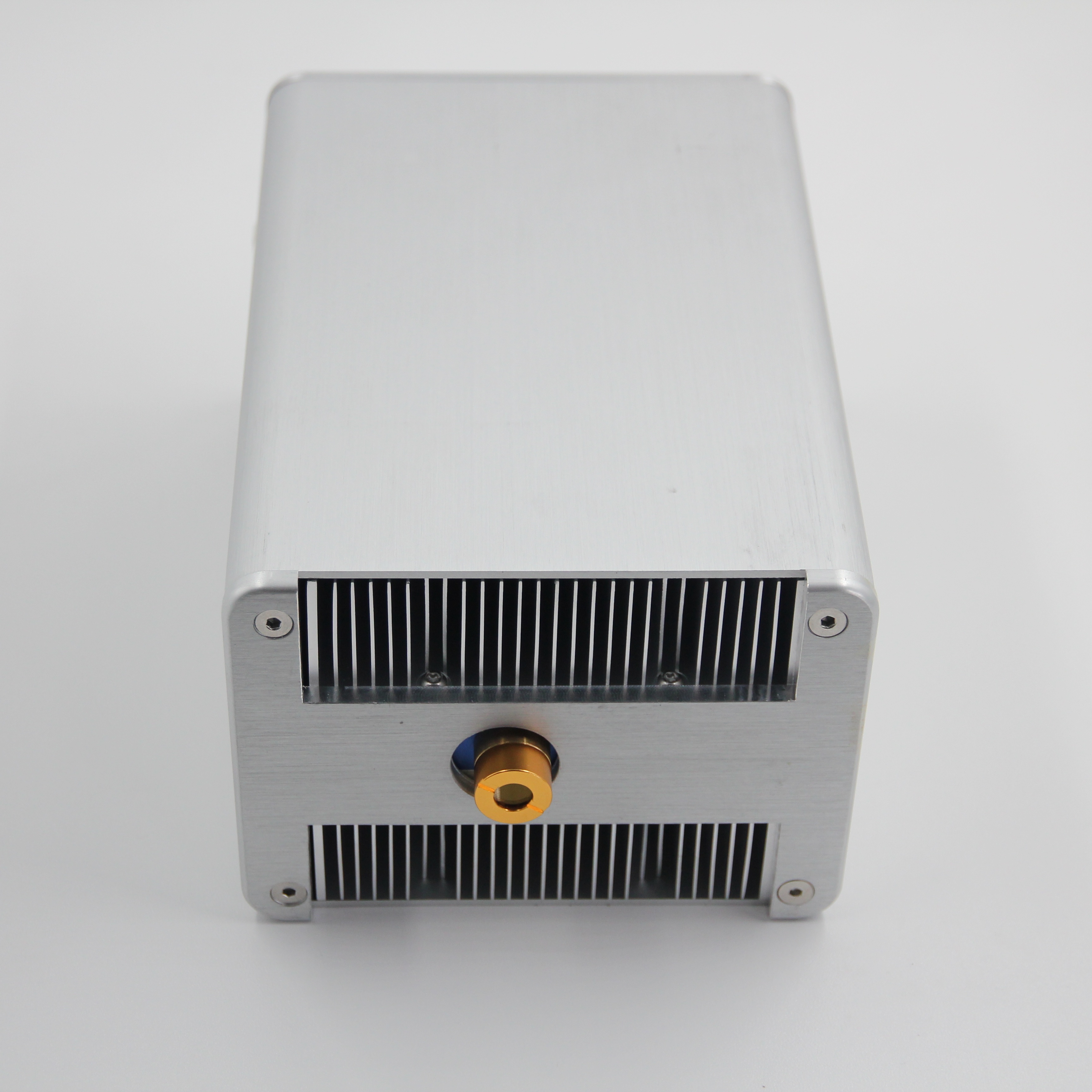
Housing: The casing protects the laser diode and electronics. It often includes a lens to focus the beam.
Power Wires: Typically, a red wire for positive voltage and a black wire for ground.
Some laser modules, like the KY-008, also have additional pins or controls to switch the laser on or off via a microcontroller.
Laser modules come in various types, depending on their use and power:
Low-Power Modules: Usually under 5mW, safe for pointing and simple projects.
Medium-Power Modules: Around 100mW, used for engraving or light shows.
High-Power Modules: Several watts or more, suitable for cutting or industrial use.
Modules can also differ by wavelength (color), such as red (around 650 nm), green, or infrared.
Laser modules have many practical uses across industries and hobbies:
Security Systems: Creating invisible tripwires or alarm triggers.
Communication: Transmitting data through laser beams between devices.
Measurement: Laser rangefinders and distance sensors.
Engraving and Cutting: Using higher-power lasers to mark or cut materials.
Robotics: Providing "eyes" for robots through laser-based sensing.
Light Shows: Producing visual effects by controlling laser beams.
Their compact size and ease of use make laser modules popular for DIY electronics and Arduino projects.
Tip: When selecting a laser module, always check the power rating and wavelength to ensure it fits your project's safety and functional requirements.
Laser modules emit highly focused light beams, which can cause serious eye injuries. Even low-power lasers can damage your retina if you look directly into the beam. Always wear laser safety goggles rated for the specific wavelength of your laser module. For example, red lasers around 650 nm require goggles designed to block red light. Never point the laser at anyone’s eyes or reflective surfaces that can redirect the beam unpredictably.
If you work in an environment where laser exposure is frequent, consider installing warning signs and using beam enclosures. These measures help prevent accidental exposure. Remember, safety goggles are the last line of defense, not a substitute for careful handling.
Keep Laser Modules Away From Children: Small hands may unintentionally aim the laser at eyes or reflective surfaces.
Use Proper Power Supplies: Avoid powering the laser module beyond its rated voltage to prevent overheating or damage.
Avoid Direct Skin Exposure: High-power lasers can burn skin or ignite flammable materials.
Work in Controlled Areas: Use laser modules on stable surfaces and avoid operating them near mirrors or shiny objects.
Disconnect Power When Not in Use: This prevents accidental activation and potential harm.
Follow Manufacturer Instructions: Always read datasheets and safety warnings before wiring or operating laser modules.
Dispose of Damaged Modules Properly: Avoid using or repairing faulty modules that may malfunction.
By following these precautions, you ensure a safer environment for yourself and others while working on laser projects.
When wiring a laser module, having the right tools and components is essential. It makes the process smoother and safer. Here’s what you’ll need.
Soldering Iron and Solder: For making secure electrical connections, especially if you’re attaching wires directly to the laser module or driver board.
Wire Strippers: To remove insulation from wires without damaging the metal inside.
Multimeter: To check voltages, continuity, and ensure your connections are correct before powering on.
Screwdriver Set: Some modules or enclosures may require small screws to secure components.
Tweezers: Useful for handling small components or wires.
Heat Shrink Tubing or Electrical Tape: For insulating exposed wires and preventing shorts.
Breadboard and Jumper Wires: Ideal for prototyping and testing your wiring without permanent soldering.
Safety Goggles: Always protect your eyes when working with lasers.
Laser Module: Choose one based on your project needs, such as the KY-008 for Arduino projects.
Power Supply: A regulated 5V or as specified by your laser module’s datasheet. Avoid unregulated or higher voltages.
Resistor (if needed): Some laser modules or diodes require a current-limiting resistor to prevent damage.
Microcontroller (Optional): Arduino or similar boards for controlling the laser module.
Connecting Wires: Red for positive voltage, black for ground, and other colors for control signals.
Switch or Transistor (Optional): To turn the laser on and off electronically.
Heat Sink (Optional): For high-power laser modules to dissipate heat and avoid overheating.
By gathering these tools and components before starting, you’ll be ready to wire your laser module safely and effectively.
Before wiring, identify each part of your laser module and related components. Most laser modules come with:
Red wire: Positive voltage input (+V)
Black wire: Ground (GND)
Optional control pin: For switching the laser on/off via microcontroller (e.g., Arduino)
If your module includes a driver board, it may have extra pins or a potentiometer for power adjustment. Also, gather your power supply, resistors (if needed), and connecting wires.
Check Voltage and Current
Verify the voltage and current requirements on the datasheet. Common modules like KY-008 use 5V DC. Using a higher voltage can damage the laser.
Basic Wiring
Connect the red wire to the positive terminal of the power supply.
Connect the black wire to the ground terminal.
Add a Current-Limiting Resistor (if needed)
Some laser modules or bare diodes need a resistor to prevent excess current. Calculate resistor value using Ohm’s law:R=IlaserVsupply−Vlaser
Where Vlaser is the laser’s forward voltage, Ilaser the desired current.
Use a Switch or Microcontroller Control
For projects requiring on/off control, wire the laser through a switch or transistor controlled by a microcontroller pin.
Initial Check with Multimeter
Before powering, use a multimeter to test continuity and correct wiring.
Power On
Apply power to the module. The laser should emit a steady beam if wired correctly.
Observe Beam
Confirm the laser beam is visible and stable. If flickering or not lighting, immediately disconnect power and recheck connections.
Adjust Power (if possible)
Some driver boards have a potentiometer to adjust laser intensity. Turn slowly while monitoring beam brightness.
Safety First
Never look directly into the laser beam. Use appropriate goggles and avoid reflective surfaces.
Tip: Use a breadboard and jumper wires for your initial wiring to test connections before soldering, ensuring easy adjustments and safer handling during setup.
Connecting a laser module like the KY-008 to an Arduino is straightforward. The KY-008 has three pins: VCC (5V), GND, and a control signal pin. Here’s how to set it up:
Connect the VCC pin of the laser module to the Arduino’s 5V pin.
Connect the GND pin to the Arduino’s GND.
Connect the control pin to one of the Arduino’s digital output pins, for example, pin 2.
This wiring allows the Arduino to control the laser module by turning it on or off via the control pin. The module receives power from the Arduino’s 5V supply.
If your laser module only has two wires (red and black), connect red to 5V and black to GND. To control it, you can add a transistor or a MOSFET as a switch controlled by the Arduino.
Once wired, you can program the Arduino to switch the laser on or off. Here’s a basic example:
#define laserPin 2void setup() {
  pinMode(laserPin, OUTPUT);
  digitalWrite(laserPin, LOW); // Start with laser off}void loop() {
  digitalWrite(laserPin, HIGH); // Turn laser on
  delay(1000);                  // Laser stays on for 1 second
  digitalWrite(laserPin, LOW);  // Turn laser off
  delay(1000);                  // Laser stays off for 1 second}
This code turns the laser on for one second, then off for one second repeatedly. You can adjust timing or add conditions to control the laser based on sensors or inputs.
For projects like laser security systems, you can combine the laser module with a photoresistor or photodiode connected to an Arduino input pin. The Arduino reads the sensor value and triggers alarms or actions if the laser beam is interrupted.
Laser module connected to Arduino digital pin 2 (output).
Photoresistor connected to an analog input pin, say A0.
Arduino turns laser on, reads sensor value.
If sensor detects beam interruption (value changes), Arduino activates an alarm or LED.
This setup uses Arduino code to monitor the sensor and control outputs accordingly.
If your laser module doesn’t turn on, start by checking the basics. First, ensure the power supply delivers the correct voltage and current according to the module’s datasheet. Using a multimeter, verify that power reaches the laser module’s red (positive) and black (ground) wires. Loose or broken connections are common culprits, so inspect all wiring carefully.
If you’re controlling the laser via a microcontroller, confirm the control pin is set correctly and outputs the expected voltage. For modules like the KY-008, the control pin must be driven high (usually 5V) to activate the laser. Double-check your code and wiring to the microcontroller pin.
Another cause could be a blown laser diode or damaged driver circuit. If you suspect this, try testing the module with a known good power source or replace it with a spare module.
When the laser flickers or operates inconsistently, it often points to unstable power or loose wiring. Check the power supply for voltage fluctuations or insufficient current. A weak or faulty battery can cause intermittent operation.
Inspect all connections for corrosion, broken wires, or poor solder joints. Wiggling wires gently while powered on can reveal loose contacts.
Heat buildup can also cause intermittent behavior. High-power laser modules may shut down temporarily if they overheat. Ensure the module has adequate ventilation or a heat sink if needed.
If you use a microcontroller to switch the laser, verify the control signals are steady. Noise or interference on the control line can cause flickering.
Test with a Multimeter: Measure voltage at the module’s input terminals during operation to ensure stable power.
Check Polarity: Reversing positive and ground wires can damage the laser module or prevent it from working.
Use a Current-Limiting Resistor: If your module or diode requires one, missing it can cause malfunction or damage.
Replace Suspect Components: Swap the laser module or power supply to isolate the faulty part.
Review Datasheet: Confirm all wiring and operating parameters match the manufacturer’s specifications.
Suppose your laser module fails to light up when connected to a 5V supply. You use a multimeter and find zero volts at the module’s input. Tracing back, you discover a loose jumper wire on your breadboard. After fixing the connection, the laser lights up instantly.
A laser security system uses a laser module to create an invisible tripwire that triggers an alarm when broken. This system involves two main parts: the laser transmitter and the receiver.
Laser Transmitter: The laser module emits a steady beam aimed at the receiver.
Receiver: Usually a photoresistor or photodiode detects the laser beam.
When someone crosses the beam, the receiver senses the interruption and triggers an alert, such as turning on an LED or sounding a buzzer.
Basic Components Needed:
Laser module (e.g., KY-008)
Photoresistor or photodiode
Arduino or microcontroller
Buzzer or LED for alarm
Resistors and connecting wires
How It Works:
The laser module is powered and aimed at the photoresistor.
The photoresistor reads light intensity; when the beam is uninterrupted, it outputs a certain voltage.
If the beam breaks, the voltage changes, signaling an interruption.
The Arduino monitors this change and activates an alarm.
Simple Arduino Code Example:
#define laserPin 2#define sensorPin A0#define alarmPin 13void setup() {
  pinMode(laserPin, OUTPUT);
  pinMode(alarmPin, OUTPUT);
  digitalWrite(laserPin, HIGH);  // Turn laser on}void loop() {
  int sensorValue = analogRead(sensorPin);
  if(sensorValue < threshold) {  // Set threshold based on calibration
    digitalWrite(alarmPin, HIGH); // Alarm on
  } else {
    digitalWrite(alarmPin, LOW);  // Alarm off
  }}
This setup creates a reliable security tripwire that alerts when the laser beam is disturbed.
Laser communication uses the laser beam to transmit data between two points. This system can send simple signals or information using light pulses.
Key Parts:
Laser module to send signals
Photodiode or light sensor to receive signals
Microcontrollers (e.g., Arduino) to encode and decode data
How It Works:
The sender modulates the laser beam by turning it on and off rapidly.
The receiver detects these light pulses and converts them into electrical signals.
Microcontrollers process these signals into meaningful data.
Example Applications:
Wireless data transfer over short distances
Remote control systems
Simple messaging between devices
Basic Setup:
Connect the laser module to a microcontroller output pin.
Connect the photodiode to an input pin on another microcontroller.
Program the sender to blink the laser in a pattern representing data.
Program the receiver to read light changes and decode the data.
This method offers a low-cost, line-of-sight communication system for hobbyists or educational projects.
Understanding how to wire a laser module involves recognizing its components, ensuring proper connections, and using essential tools. Laser modules are versatile, suitable for security systems, communication, and more. With correct handling, they offer immense project potential. Blueuniverse Laser provides high-quality laser modules that enhance project efficiency and safety. Their products are designed for ease of use, making them ideal for both beginners and professionals seeking reliable solutions in various applications.
A: A laser module is a device that generates a focused beam of light using a laser diode, driver circuit, housing, and power wires. It's used in various applications like security systems, communication, and engraving.
A: To wire a laser module, connect the red wire to the positive terminal and the black wire to the ground. Ensure the power supply matches the module's voltage and current requirements.
A: Check the power supply for correct voltage and current. Verify all connections and ensure the control pin is set correctly if using a microcontroller.
A: Laser module prices vary by type and power, ranging from a few dollars for low-power models to hundreds for high-power industrial versions.
A: Laser modules offer precise control, compact size, and versatility for applications like cutting, measuring, and data transmission.


